Download Geometry Dash for iOS

Geometry Dash for iOS brings the iconic rhythm-based platformer to iPhone and iPad with smooth performance, precise touch controls, and stunning visuals optimized for Apple devices. Every jump, flight, and movement syncs perfectly with energetic music, turning each level into a fast-paced test of timing and focus.

Download Geometry Dash for iOS

The main Geometry Dash app on iOS offers the complete rhythm platformer experience with all official levels, customization options, and full access to gameplay features.

Secure Official Lifetime Access

Key Details

Platform iOS (iPhone & iPad)
Distribution Apple App Store
Purchase Type One-time purchase
Updates Automatic

Official App Store Availability & Safety

Geometry Dash on iOS is distributed exclusively through the Apple App Store, ensuring a safe, verified, and high-quality gaming experience.

Reviewed and approved by Apple

Every update undergoes rigorous app review to ensure it meets Apple's high standards for quality and security.

No sideloading or external installs required

Installation is direct and secure from the App Store, eliminating the risks associated with third-party sources.

Automatic updates through the App Store

iOS keeps your game current automatically, so you always have access to the latest levels, icons, and features.

Secure payments and account protection

Apple's end-to-end encryption and secure payment processing keep your personal information safe.

iOS Device Compatibility & Requirements

Geometry Dash runs smoothly on most modern Apple devices.

System Software

iOS 12.0 or later required

Device Support

Optimized for iPhone, iPad & iPod touch

Optimization

Smooth 60 FPS / ProMotion Support

Disk Space

Approx. 300 MB free space required

For the best experience, keeping your device updated to the latest iOS version is recommended.

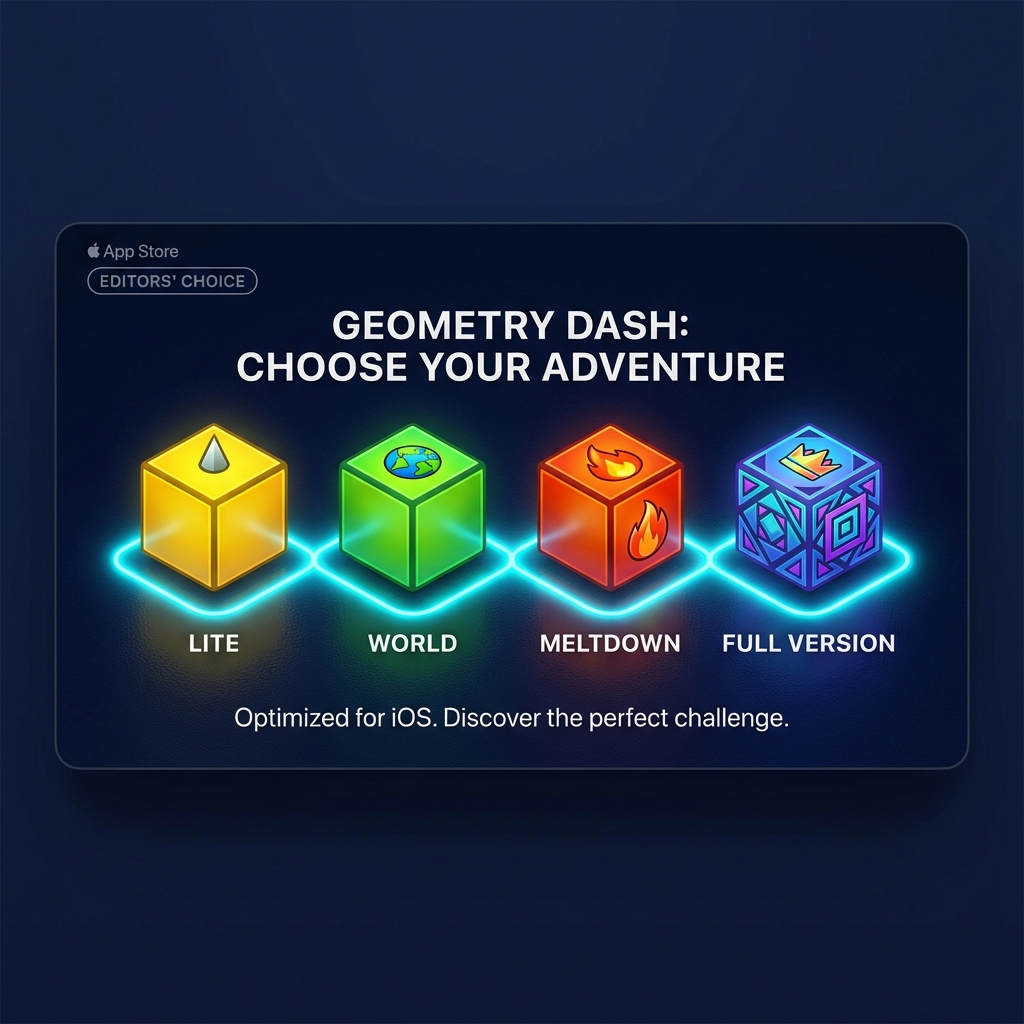
Available Geometry Dash Versions on iOS

Geometry Dash is available on iOS in multiple official versions. Each one offers a different way to experience the game, depending on your skill level and how you like to play.

Full Game

Geometry Dash

Best for the complete experience

The full version unlocks all official levels, advanced mechanics, and full customization features. It’s ideal for players who want everything Geometry Dash has to offer.

  • Full campaign access
  • All game modes unlocked
  • Complete customization options
Free

Geometry Dash Lite

Best for beginners

Geometry Dash Lite is a free introduction to the game, featuring selected levels that help new players learn the mechanics.

  • Free to download
  • Beginner-friendly levels
  • Limited content
Free

Geometry Dash World

Best for short play sessions

This version focuses on quick levels and online challenges, making it perfect for casual play on mobile devices.

  • Short, fast levels
  • Online content
  • Free to play
Free

Geometry Dash Meltdown

Best for intense music-driven gameplay

Meltdown delivers compact, high-energy levels with exclusive soundtracks and fast pacing.

  • Unique music tracks
  • Short but challenging levels
  • Free version
Free

Geometry Dash SubZero

Best for experienced players

SubZero is designed for players who want faster gameplay and tougher challenges right from the start.

  • Advanced difficulty
  • Precision-focused design
  • Free version
Choosing Geometry Dash Versions for iOS
Expert Guidance

Which Geometry Dash Version Should iOS Users Choose?

If you’re new to Geometry Dash, starting with Geometry Dash Lite or Geometry Dash World is a great way to learn the mechanics. Casual players who enjoy short challenges may prefer Meltdown or World.

The Pro Choice

For players who want the full campaign, customization, and long-term progression, the Geometry Dash Full Version is the best choice on iOS.

This variety allows iOS players to choose an experience that fits their skill level without pressure.

Geometry Dash on iPhone & iPad

Geometry Dash is perfectly optimized for iOS devices, offering smooth frame rates and responsive controls across a wide range of iPhones and iPads. The game takes full advantage of Apple’s hardware, delivering crisp visuals and precise gameplay even during fast, complex sections.

Whether you’re playing on a compact iPhone or a larger iPad screen, Geometry Dash adapts seamlessly, making it easy to enjoy short sessions or long challenge runs.

Why iOS players love Geometry Dash:

Ultra-responsive touch controls
Retina-optimized visuals
Stable performance across devices
Offline gameplay support
Geometry Dash iOS Gameplay

Frequently Asked Questions

Got questions about Geometry Dash on iOS? We’ve got the answers to help you get started.

Some versions of the game, like Geometry Dash Lite, Meltdown, World, and SubZero, are free to download and play. However, the full version of Geometry Dash is a one-time paid app that unlocks all features, levels, and customization options.

Yes, Geometry Dash is fully compatible with iPad. In fact, many players prefer the larger screen of the iPad for better visibility and more precise control during difficult levels.

No, an internet connection is not required to play official levels. Once the game is downloaded and installed, you can play it offline anywhere. However, you will need a connection to download user-created levels or access online features.

Yes, all future updates are included. When RobTop Games releases a new update (like the massive 2.2 update), it will be delivered automatically to your device through the Apple App Store at no extra cost.

Yes. All downloads provided here link directly to the official Apple App Store, ensuring you get the authentic, secure, and latest version of the game verified by Apple.